Copilot Studio and SharePoint: Knowledge Grounding, Permissions, and Security
Ground Copilot Studio agents on SharePoint content with permission-aware retrieval, security trimming, and governance guardrails.
- Published
- Reading time
- 8 min read
What you’ll learn
- Where SharePoint fits in a Copilot Studio agent
- Recommended architecture
- How permission-aware grounding works
- Prepare SharePoint before connecting it
- Secure setup checklist
On this page (11 sections)
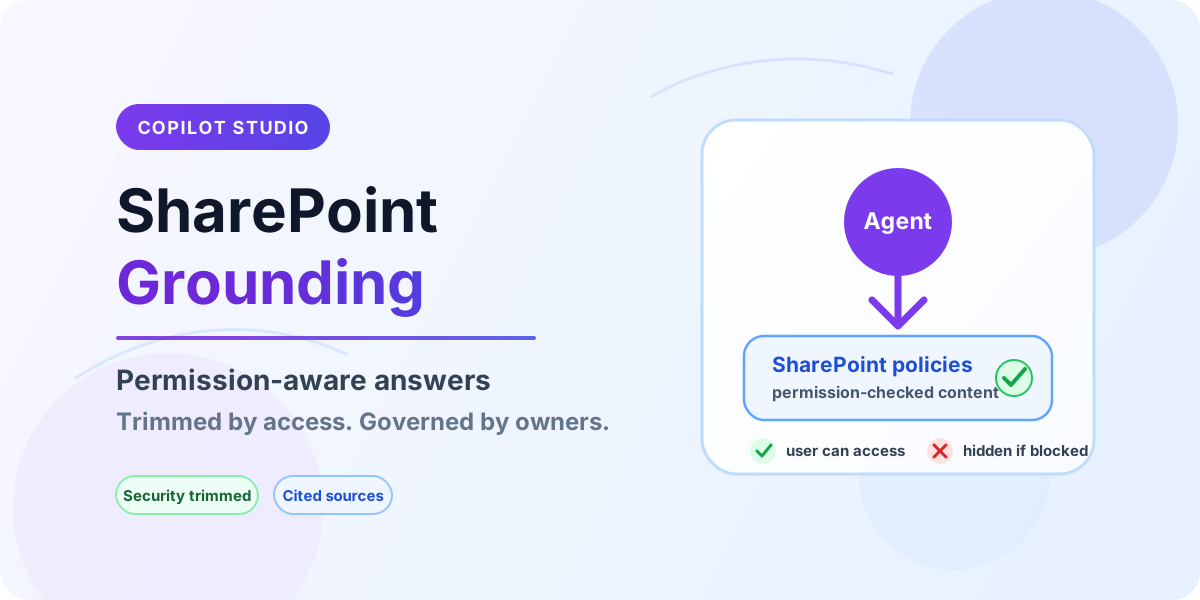
Direct answer: Copilot Studio can use SharePoint as a knowledge source so an agent answers from approved pages, files, and libraries instead of generic model knowledge. The security promise is only as strong as the SharePoint design behind it: users should receive answers from content they are allowed to read, makers should scope knowledge sources narrowly, and owners should keep the grounded libraries clean, current, and reviewed.
Start from the Copilot Studio hub and the architecture pillar. For the build mechanics, see knowledge sources in Copilot Studio. For the access model behind the content, review SharePoint permissions and content types and site columns.
Where SharePoint fits in a Copilot Studio agent
SharePoint is best for grounded answers over human-readable knowledge: policies, procedures, handbooks, service documentation, project standards, onboarding material, product sheets, and internal FAQs. The agent retrieves relevant content, uses it to compose an answer, and can point users back to the source. This works well when the content is written for people, versioned by owners, and protected with ordinary SharePoint permissions.
Do not treat SharePoint as a database just because the agent can read it. If the answer depends on row-level business rules, live transactional state, approvals, or audited writes, keep SharePoint for the explanatory documents and use Dataverse, Graph, Power Automate, or an API-backed action for the business operation.
Recommended architecture
| Layer | Recommended pattern | Why it matters |
|---|---|---|
| Audience | Build agents around clear audiences such as HR employees, IT support, or partner support. | Audience boundaries make permissions, tone, and escalation paths easier to govern. |
| Knowledge scope | Connect only the sites, libraries, folders, or pages the agent actually needs. | Narrow scope reduces accidental exposure and improves answer relevance. |
| Identity | Use authenticated channels when answers must respect user-specific access. | User context is essential when retrieval should follow the signed-in user. |
| Content ownership | Assign a business owner to every grounded library or page set. | Owners keep policies fresh and decide what the agent is allowed to quote. |
| Operational control | Review analytics, failed answers, and source references on a fixed rhythm. | Grounded agents drift when source content changes without review. |
How permission-aware grounding works
At runtime, the agent searches connected knowledge sources for material relevant to the user question. In authenticated scenarios, retrieval should be constrained by the user's access to the underlying SharePoint content. In plain terms: if Maya cannot open the finance policy library in SharePoint, the finance agent should not reveal that library's contents to Maya through a chat answer.
This is why testing only as the maker is misleading. Makers and site owners often have broad access, so everything appears to work. A real security test uses representative accounts: an employee with normal read access, a user outside the target audience, a guest if guests are allowed, and a blocked user who should receive no answer from the restricted source.
Prepare SharePoint before connecting it
The best Copilot Studio security work often happens before Copilot Studio is opened. A clean SharePoint library gives the agent clean grounding. A messy library gives the agent confusing material, stale answers, and awkward source references.
- Remove duplicates: keep one authoritative policy or procedure per topic. Duplicate PDFs and old pages split retrieval across conflicting versions.
- Publish approved content: avoid grounding on drafts, working documents, and meeting notes unless the agent is meant for that audience.
- Review inheritance breaks: item-level exceptions make access hard to reason about and hard to test.
- Use metadata: content type, status, department, region, and effective date help owners manage what is active versus archived.
- Name sources clearly: users trust answers more when the cited document title is readable and current.
- Archive old material deliberately: move superseded content out of the grounded source or mark it clearly as archived.
Secure setup checklist
- Define the agent audience. Write down who can use the agent and who should not receive answers from its sources.
- Inventory knowledge locations. List every site, library, folder, and page set that will be connected.
- Confirm source ownership. Each source needs a business owner and a review cadence.
- Check SharePoint permissions. Remove broad access such as everyone links where the source is sensitive.
- Connect the smallest useful scope. Prefer targeted locations over entire sites when only one library is needed.
- Test with non-maker accounts. Validate positive and negative access cases before publishing.
- Review analytics after launch. Watch for weak answers, missing citations, and questions that expose content gaps.
Common security risks
| Risk | What it looks like | Control |
|---|---|---|
| Over-broad SharePoint access | The agent answers from a library that too many users can already read. | Tighten the library first; Copilot Studio should not compensate for weak source permissions. |
| Wrong channel for sensitive answers | An agent is published to a channel without the identity context needed for trimming. | Use authenticated channels for permission-sensitive knowledge. |
| Stale documents | The agent quotes an old policy because it still exists in the grounded folder. | Archive or remove superseded content and assign review dates. |
| Guest exposure | External guests can ask questions against sources intended for employees. | Separate guest agents or guest-safe sources from internal sources. |
| Maker overconfidence | Testing passes because the maker has owner access everywhere. | Use test accounts with realistic permissions before every release. |
Governance model for production
Treat a SharePoint-grounded agent like a published business channel, not a one-time chatbot experiment. The agent has an owner, each knowledge source has an owner, and the release process includes content review as well as topic testing. This is especially important for HR, legal, finance, security, and compliance material where an answer can change how a user acts.
- Monthly answer review: sample conversations, check citations, and update weak source material.
- Quarterly permission review: confirm site members, sharing links, guests, and library inheritance are still intentional.
- Change process: when a source policy changes, retest the top user questions for that policy.
- Escalation path: give users a way to report incorrect, outdated, or sensitive answers.
- Environment strategy: build and test in lower environments where possible, then promote with documented source connections.
When SharePoint is the wrong source
Use SharePoint when the answer is in documents. Use another system when the answer is a transaction, calculation, entitlement, or workflow decision. For example, SharePoint can explain the leave policy, but an action should check the user's actual leave balance. SharePoint can describe hardware request rules, but a service desk system should create and track the ticket.
| Need | Better source | Pattern |
|---|---|---|
| Policy explanation | SharePoint | Grounded knowledge answer with source citation. |
| Employee-specific record | Dataverse, HR system, or API | Authenticated action with business rules. |
| Approval or ticket creation | Power Automate, service desk API, or Dataverse | Action node with confirmation and audit trail. |
| Document search by metadata | SharePoint plus strong metadata | Grounding paired with well-designed libraries. |
| Compliance report | Purview, audit logs, reporting database | Report or action, not free-form grounding. |
Testing scenarios before publish
Build a small test matrix for every agent release. It does not need to be bureaucratic; it needs to prove the agent answers the right people and refuses the wrong ones.
- Allowed user: asks a question covered by the grounded library and receives a sourced answer.
- Blocked user: asks the same question and does not receive restricted content.
- Guest user: receives only guest-approved material, or cannot use the agent if guests are out of scope.
- Outdated content test: asks about a recently changed policy and verifies the answer reflects the current source.
- Escalation test: asks for something outside the source scope and confirms the agent routes to the right fallback or human process.
Troubleshooting weak answers
If answers are vague, wrong, or missing, inspect the source before tuning prompts. Most problems come from poor source quality, not from the language model.
- The answer is too generic: the source may not contain a direct answer, or too many unrelated sources are connected.
- The answer cites the wrong file: remove duplicates and rename old versions as archived or move them away from the grounded source.
- A user gets no answer: check the user's SharePoint access, channel authentication, and source scope.
- The agent exposes too much: review the underlying SharePoint permission model immediately, then retest with restricted accounts.
- Answers changed after a library update: review what moved, what was deleted, and whether owners changed active content without retesting.
FAQ
Do I need to move files into a special library for Copilot Studio? Usually no. Start with the governed library where the content already lives. Move content only when ownership, permissions, or lifecycle rules need a cleaner boundary.
Should one agent connect to every SharePoint site? No. Tenant-wide grounding sounds convenient, but it weakens relevance and makes security review harder. Build agents around audiences and business processes.
Can SharePoint lists be used for agent answers? Lists can be useful for simple reference content, but business records with strict row-level rules usually belong in Dataverse or an API-backed system.
What breaks grounding most often? Stale duplicates, draft-only content, unclear source ownership, broad sharing links, and tests performed only with owner accounts.
Continue with ALM practices, the production checklist, and the Can Copilot Studio use SharePoint? quick answer.
Related resources
Topics covered
AI Agents · Security · Knowledge Sources
Frequently asked questions
Can Copilot Studio use SharePoint as a knowledge source?
Yes. Point the agent at SharePoint sites, libraries, or folders so answers ground in content the signed-in user is permitted to access.
Do agents respect SharePoint permissions?
Retrieval respects the end user’s permissions where the channel and configuration support it — always verify by testing as non-maker accounts.
When is SharePoint the wrong knowledge source?
When answers need row-level business logic, audited records, or relational queries — use Dataverse instead and keep SharePoint for documents.
Sources
- Microsoft Learn: Knowledge Copilot Studio, Microsoft
- Microsoft Learn: Security And Governance, Microsoft
Have a Microsoft 365 topic idea?
Share article suggestions, community session ideas, corrections, or real-world scenarios for future nextM365 learning notes.
Keep learning Microsoft 365
Explore more practical tutorials for SharePoint, Power Platform, Copilot Studio, migration, automation, governance, and security.
Continue learning
Related tutorials
Related questions
Related comparisons