Web Parts
Custom page components with properties, React UI, and live data.
Build, integrate, deploy and modernize SharePoint solutions using SPFx, React, PnPjs, Microsoft Graph and modern Microsoft 365 development patterns.
The SharePoint Framework (SPFx) is Microsoft’s client-side extensibility model for building supported custom experiences for SharePoint and related Microsoft 365 scenarios — web parts, extensions, and integrations with Microsoft Graph and SharePoint data using React and TypeScript.
Use this hub to learn SPFx from environment setup through deployment, understand web parts, React patterns, PnPjs, Microsoft Graph, SharePoint REST, external API integration, extensions, App Catalog deployment, security, performance and troubleshooting — and to connect SPFx work with SharePoint modernization and migration.
New to SharePoint development? Start with What is SPFx? and the SharePoint hub. Planning a move with legacy customizations? See the migration hub and the modernization roadmap.
Overview
SPFx is Microsoft’s client-side extensibility model for SharePoint and related Microsoft 365 scenarios. Solutions are built with TypeScript and React, run in the browser in the current user’s context, and deploy as versioned packages through the SharePoint App Catalog — there is no server-side code. That constraint is also its strength: upgrades stay supported because customizations use public extension points and APIs instead of page internals.
Architecture
Healthy SPFx projects keep page hosting, UI components, data services, permissions, and external integrations in separate layers. That separation makes it easier to test, modernize, troubleshoot, and replace an API without rewriting every component.
Layer 1
User
Signed-in Microsoft 365 user with real tenant, site, and API permissions.
Layer 2
SharePoint Page
Modern page surface where web parts and extensions are loaded.
Layer 3
SPFx Web Part / Extension
Versioned package with context, lifecycle, manifests, and permission requests.
Layer 4
React Components
UI, state, loading, error, and accessibility behavior.
Layer 5
Service Layer
Thin boundary that hides data calls from components.
Layer 6
PnPjs / Graph / REST / External APIs
The API choice changes by workload, permission model, and data owner.
Layer 7
Microsoft 365 + Business Systems
SharePoint, Teams, users, files, workflows, and line-of-business systems.
SPFx tutorial path
Follow the stages in order. Items with links point to published nextM365 pages; the remaining items describe the curriculum each stage covers. Always match the toolchain, Node.js, and React versions to the SPFx release your project targets.
Understand the model, set up the workstation, and run your first local workbench session.
What is SPFx? · Development environment · Project creation · Project structure · Toolchain · Local development and debugging
Decide what deserves custom code, then build web parts with sound component structure.
SPFx web parts · React · TypeScript · Properties and property pane · State management · Fluent UI
Read and write business data through the right API for each scenario.
SharePoint REST · PnPjs · Microsoft Graph · External APIs · Authentication · Permissions
Customize page chrome, list commands, and column rendering — plus Copilot-era surfaces where applicable.
Application Customizers · ListView Command Sets · Field Customizers · Teams-integrated experiences where applicable
Design permissions, external API mediation, data exposure, and dependency governance before rollout.
Least privilege · Delegated permissions · No client secrets · Admin approval · CORS · Dependency review
Ship versioned packages through the App Catalog with approved permissions.
Packaging · App Catalog · Tenant deployment · API permission approval · Environment configuration · CI/CD and ALM
Keep solutions fast, secure, accessible, and supportable in production.
Performance · Caching · Error handling · Security · Accessibility · Maintainability · Troubleshooting
Convert legacy customizations into supported modern SharePoint, SPFx, and Power Platform patterns.
Classic customizations · Script Editor · JSLink · InfoPath · SharePoint Designer workflows · Migration planning
Development capabilities
SPFx covers page components, page chrome, list experiences, and data integrations — everything below ships through the same package and permission model, which keeps governance reviewable.
Custom page components with properties, React UI, and live data.
Headers, footers, and page-level behavior across sites.
Command-bar actions for selected list and library rows.
Custom rendering for columns in list views.
Role-based views over lists, Graph data, and business APIs.
Library-centric UIs with metadata, views, and actions.
Scoped result views and refiners over SharePoint content.
Consistent headers, footers, and wayfinding injected by extensions.
Task-focused forms and approvals backed by lists or APIs.
People, files, mail, calendar, and Teams data in SharePoint pages.
Line-of-business data surfaced through secured mediation.
Shared components across SharePoint and Teams where applicable.
SPFx web parts
A web part is the primary SPFx building block: authors drop it on a page, configure its properties, and it renders a React UI bound to SharePoint, Graph, or business data.
Step 1
SPFx Web Part
The packaged component deployed through the App Catalog.
Step 2
Properties
Configured values from the property pane, editable by page authors.
Step 3
React / UI
Components, Fluent UI controls, loading and error states.
Step 4
SharePoint / Graph / APIs
Data layer via REST, PnPjs, Graph, or mediated business APIs.
Step 5
Business Experience
The working outcome: approvals, directories, requests, insight views.
Web-part fundamentals — properties, React rendering, and data access — are covered across this hub and in What is SPFx?. Step-by-step web-part build tutorials are among the highest-priority additions on the content roadmap; the SPFx roadmap update tracks where the platform itself is heading in the meantime.
SPFx and React
React is the standard UI layer for SPFx. Keep a strict separation: SPFx owns hosting and context, React components own rendering, and a thin service layer owns data access. This hub orients the architecture — it is not itself a React tutorial.
Layer 1
SPFx
Hosting, lifecycle, properties, and context (page, user, theme).
Layer 2
React Component
One responsibility per component; props flow down.
Layer 3
State / Hooks
useState and useEffect for data, loading, and error state.
Layer 4
Fluent UI
Controls that match the Microsoft 365 look and accessibility baseline.
Layer 5
Microsoft 365 Data
Lists, Graph, and APIs bound through a thin service layer.
SharePoint data access
PnPjs is a community-supported JavaScript library that wraps SharePoint REST and Microsoft Graph calls in a fluent, typed API. The relationship is one-directional: SPFx provides the hosting and authentication context, PnPjs simplifies the data calls made inside it.
Layer 1
SPFx
Web part or extension with user context and lifecycle.
Layer 2
PnPjs
Fluent queries, batching, and typed responses over REST and Graph.
Layer 3
SharePoint / Microsoft Graph
Lists, libraries, files, users, and groups.
Typical PnPjs operations in SPFx solutions:
Dedicated PnPjs walkthroughs are on the content roadmap; until then, apply the data-access principles in the Graph section and the REST guidance below — selecting fields, batching, and error handling transfer directly.
Microsoft 365 data
The Microsoft Graph client gives SPFx solutions delegated access to Microsoft 365 data beyond SharePoint — people, groups, Teams, mail, calendar, and files — under the signed-in user’s identity. Graph access is never automatic: each permission must be requested and approved.
Stage 1
SPFx
Component with user and page context.
Stage 2
Microsoft Graph Client
Authenticated, delegated calls on the user’s behalf.
Stage 3
Microsoft Graph
One endpoint surface for Microsoft 365 workloads.
Stage 4
Users · Groups · Teams · Mail · Calendar · Files
Workload data rendered in the SharePoint experience.
Calls run as the signed-in user. There is no elevated service identity to hide behind — access errors mirror the user’s real permissions.
Request delegated scopes matching each call. Application permissions do not apply to browser-hosted SPFx solutions.
Declare every Graph scope in the solution package so reviewers see the full access surface before approval.
Requested scopes stay dormant until an administrator approves them. Unapproved permissions fail at runtime.
Prefer narrow scopes over broad ones, and re-justify each scope when the solution’s data needs change.
Handle 401 (authentication) and 403 (authorization) distinctly, page large collections, and respect throttling signals.
SharePoint-specific data
SharePoint REST remains the direct route for SharePoint-specific operations — lists, items, libraries, files, folders, and site information — especially where a wrapper adds no value. Choose the API per scenario rather than defaulting to one everywhere: PnPjs for fluent SharePoint data access, Microsoft Graph for cross-workload Microsoft 365 data, and raw REST where precise control over the SharePoint call matters. No single option is universally superior.
Advanced integration
Business systems enter SPFx solutions through authenticated HTTP calls to mediated endpoints — never through direct browser-to-database paths or embedded credentials.
Stage 1
SPFx
Component initiating the business request.
Stage 2
Authentication
Microsoft Entra ID, OAuth flows, and tokens acquired in user context.
Stage 3
External API
The business system’s HTTP surface, reached where applicable via the SPFx HTTP clients.
Stage 4
Business System
CRM, ERP, service desk, or custom backend returning scoped data.
Security rule: never put client secrets or sensitive credentials in SPFx browser code. Bundles are downloadable by design. Secrets belong in a secured backend or managed identity flow that the SPFx solution calls — a backend or API-mediation layer is required wherever the API cannot authenticate the user directly.
API decision guide
SPFx does not force one data-access path. Choose based on ownership, permissions, workload, supportability, and whether the call belongs in the browser or behind a secured API layer.
Best for: SharePoint lists, libraries, files, folders, users, groups, and ergonomic SharePoint data access.
Watch: Initialize with SPFx context, select only required fields, and batch carefully.
SPFx + PnPjs guide →Best for: Cross-workload Microsoft 365 data such as users, groups, Teams, mail, calendar, OneDrive, and files.
Watch: Every delegated permission must be requested, approved, and justified.
SPFx + Graph guide →Best for: Direct SharePoint-specific calls where precise REST behavior or troubleshooting control matters.
Watch: Validate field names, paging, request digest requirements for writes, and threshold behavior.
Complete SPFx guide →Best for: Business systems, custom services, Azure Functions, and integration endpoints outside Microsoft 365.
Watch: Use a safe API layer for secrets, CORS, token handling, and server-side access control.
Planning an SPFx build?
Share the web part, extension, API, permission, and modernization decisions you are weighing, and nextM365 can help turn them into a supportable implementation path.
Discuss an SPFx ProjectPage and list chrome
Extensions customize the experience around content rather than adding page components. There are three types, each with a distinct surface:
SPFx Extensions
├── Application Customizer
├── Command Set
└── Field Customizer
Runs on site pages to inject headers, footers, banners, and page-level logic through supported placeholders.
Use case: A compliance banner and support link rendered on every page of the finance hub.
Adds command-bar buttons that act on the rows a user selects in a list or library view.
Use case: A “Request approval” action that starts a workflow for the selected documents.
Changes how a column value renders inside list views without changing the stored data.
Use case: Risk scores shown as color-coded pills instead of raw numbers in the register view.
Ship to production
Deployment is a governed pipeline, not a file copy. Every stage below uses the toolchain supported by the SPFx release being shipped — confirm commands against that release’s documentation rather than reusing steps from older projects.
01
Develop
Build and debug locally against realistic SharePoint data.
02
Build / Bundle
Produce optimized bundles with the supported SPFx toolchain for your release.
03
Package
Create the versioned solution package for distribution.
04
App Catalog
Upload the package to the tenant or site-collection catalog.
05
Deploy
Make the solution available, tenant-wide or scoped, per governance.
06
Approve Permissions
A tenant administrator approves the requested API permissions.
07
Use in SharePoint
Add web parts to pages and activate extensions where designed.
Versioned, reviewable artifact — the unit that moves through environments.
Available everywhere where governance allows; scoped deployment where it does not.
Bump versions deliberately; test upgrades against existing pages before rollout.
Verify web parts render, extensions activate, and permissions behave in a non-production tenant first.
Environment configuration, CI/CD, and ALM practices ride on top of this pipeline — the SPFx roadmap update is the reference for where the platform’s deployment story is heading.
Release engineering
CI/CD for SPFx is mostly artifact discipline: restore, validate, bundle, package, review, deploy, and smoke test. GitHub Actions and Azure DevOps can both support this pattern, but the exact commands should come from the SPFx release and package scripts used by the project.
Gate 1
Source Control
Keep SPFx source, package metadata, and environment notes reviewable.
Gate 2
Install
Restore dependencies with the package manager and versions supported by the target SPFx release.
Gate 3
Validate
Run linting, tests, type checks, and any local build gates the project owns.
Gate 4
Bundle / Package
Create optimized bundles and a versioned solution package.
Gate 5
Release
Promote the artifact through App Catalog review and tenant admin approval.
Gate 6
Smoke Test
Verify page rendering, extensions, permissions, Graph calls, and telemetry after deployment.
Version discipline
SPFx compatibility changes over time, so this hub avoids hard-coding Node.js, React, TypeScript, or package versions. Use Microsoft’s current SPFx documentation as the source of truth, then record the supported matrix inside the project before development starts.
Start with the Microsoft-supported release target for the tenant and scenario.
Use the versions supported by that SPFx release, not the newest version by default.
Align compiler and framework versions with the SPFx baseline before adding dependencies.
Choose library versions that support the target SPFx stack and browser surface.
Confirm endpoint availability, permissions, paging, throttling, and beta versus v1.0 status.
Validate App Catalog scope, admin approval process, modern page support, and governance controls.
Enterprise engineering
Browser-hosted code faces hostile networks and curious users. These practices separate enterprise SPFx work from demos that happen to run.
Critical rule: SPFx runs in the browser. Confidential secrets must not be embedded in the client bundle.
Request only the API permissions the solution actually calls.
Declare every protected permission up front; nothing is implicit.
Run in the signed-in user’s delegated context — no service identities in browser code.
Bundles ship to the browser. Secrets, keys, and connection strings must never be embedded in them.
Validate property-pane values, query strings, and user input before use.
Call business systems through authenticated, mediated endpoints — not direct database or secret-bearing calls.
Graph and third-party API access requires explicit admin consent per solution.
Audit npm packages, remove unused dependencies, and update known-vulnerable libraries.
Render only what the current user is allowed to see; client-side checks never replace server-side access control.
Log failures with correlation details for support — without capturing tokens or personal data.
Show users actionable messages; keep stack traces and internals out of the UI.
API approval grants the solution a ceiling; each user still only reaches SharePoint content they can access.
Fast by design
Performance in SPFx is dominated by data access patterns and bundle discipline — not by framework choice. Apply these practices from the first sprint; retrofitting them is expensive.
Fetch once per need; derive view state locally instead of re-querying.
Combine independent reads so pages pay one round trip instead of many.
Project list and Graph queries to the columns and properties the UI renders.
Cache reference data with explicit expiry; never cache per-user sensitive data carelessly.
Defer heavy controls and secondary tabs until the user needs them.
Import only the library surface used; watch for duplicated framework copies.
Memoize expensive lists, key rows stably, and avoid state churn on scroll.
Page, filter server-side, and index the columns queried — the 5,000-item threshold still shapes design.
Skeletons and placeholders keep perceived performance high during fetches.
Fail fast with retry only for transient faults; surface persistent failures clearly.
Fix it faster
Most SPFx failures fall into three buckets. Diagnose the bucket first — environment, deployment, or data and authentication — then work the specific symptom. Each entry below names the usual cause and the first isolation step.
These pages cover the concepts behind the symptoms above — permissions, extensions, and platform direction. Step-by-step fix guides for individual errors are future content.
SharePoint modernization
Modernization decides the fate of every legacy customization before it moves forward: inventory, assess, then retire, replace, modernize, or rebuild. SPFx is the destination for capabilities that must remain custom code — everything else should become a modern or Power Platform capability.
| Legacy approach | Modern direction |
|---|---|
| Script Editor / custom JavaScript | SPFx where custom code remains necessary |
| JSLink | JSON formatting or SPFx depending on requirements |
| SharePoint Designer workflow | Power Automate where appropriate |
| InfoPath | Power Apps, modern forms, or another supported solution depending on requirements |
| Custom master pages | Modern SharePoint branding and extensions |
| Legacy integrations | Microsoft Graph, supported APIs, and SPFx architecture |
These mappings are starting directions, not automatic one-to-one replacements. Some workflows simplify into approvals, some forms become lists with formatting, and some customizations should be retired rather than rebuilt.
Migration context
A SharePoint migration is not always just content movement. Legacy customizations travel with the content unless someone inventories them — and unassessed custom code is how teams migrate their support burden into a new tenant.
Stage 1
SharePoint Migration
Content movement plus everything attached to it.
Stage 2
Legacy Customization Assessment
Inventory, dependency analysis, and compatibility review.
Stage 3
Modernization Decision
Retire, replace, modernize, or rebuild each item explicitly.
Stage 4
SPFx / Power Platform / Modern SharePoint
Supported landing zone for what must remain custom.
Solution blueprint
A reference shape for how SPFx solutions typically compose — illustrative, not a customer story.
Employee Portal
SharePoint Online
SPFx
Microsoft Entra ID
Automation patterns behind portal actions live in the Power Automate hub and the Power Platform hub.
Guides and references
Every item below is published nextM365 content — SPFx guides first, then the questions and decisions developers actually ask, then companion architecture reading. Nothing unrelated is listed to fill space.

Learn SPFx development end to end: project setup, React web parts, PnPjs, Microsoft Graph, REST, extensions, security, App Catalog deployment, and troubleshooting.
'%2F%3E%20%3Cstop%20offset%3D'0.5'%20stop-color%3D'rgb(240%2C253%2C250)'%2F%3E%20%3Cstop%20offset%3D'1'%20stop-color%3D'rgb(245%2C243%2C255)'%2F%3E%20%3C%2FlinearGradient%3E%20%3ClinearGradient%20id%3D'spfxraccent'%20x1%3D'0'%20y1%3D'0'%20x2%3D'1'%20y2%3D'0'%3E%20%3Cstop%20offset%3D'0'%20stop-color%3D'rgb(13%2C148%2C136)'%2F%3E%20%3Cstop%20offset%3D'0.55'%20stop-color%3D'rgb(37%2C99%2C235)'%2F%3E%20%3Cstop%20offset%3D'1'%20stop-color%3D'rgb(124%2C58%2C237)'%2F%3E%20%3C%2FlinearGradient%3E%20%3C%2Fdefs%3E%20%3Crect%20width%3D'1200'%20height%3D'600'%20fill%3D'url(%23spfxrbg)'%2F%3E%20%3Cg%20font-family%3D'Segoe%20UI%2C%20Arial%2C%20sans-serif'%3E%20%3Crect%20x%3D'82'%20y%3D'68'%20width%3D'290'%20height%3D'44'%20rx%3D'22'%20fill%3D'rgb(13%2C148%2C136)'%2F%3E%20%3Ctext%20x%3D'227'%20y%3D'97'%20text-anchor%3D'middle'%20font-size%3D'20'%20font-weight%3D'900'%20fill%3D'white'%20letter-spacing%3D'1.4'%3EAUGUST%202026%20ROADMAP%3C%2Ftext%3E%20%3Ctext%20x%3D'84'%20y%3D'160'%20font-size%3D'25'%20font-weight%3D'850'%20fill%3D'rgb(15%2C76%2C74)'%20letter-spacing%3D'2'%3ESHAREPOINT%20FRAMEWORK%3C%2Ftext%3E%20%3Ctext%20x%3D'80'%20y%3D'252'%20font-size%3D'78'%20font-weight%3D'900'%20fill%3D'rgb(15%2C23%2C42)'%3ESPFx%201.24%3C%2Ftext%3E%20%3Ctext%20x%3D'80'%20y%3D'334'%20font-size%3D'64'%20font-weight%3D'900'%20fill%3D'url(%23spfxraccent)'%3EBeta%203%20update%3C%2Ftext%3E%20%3Ctext%20x%3D'84'%20y%3D'396'%20font-size%3D'25'%20font-weight%3D'650'%20fill%3D'rgb(51%2C65%2C85)'%3ECopilot%20Components%20public%20preview%2C%20React%2018%2C%3C%2Ftext%3E%20%3Ctext%20x%3D'84'%20y%3D'430'%20font-size%3D'25'%20font-weight%3D'650'%20fill%3D'rgb(51%2C65%2C85)'%3Eand%20the%20path%20to%20October%202026%20general%20availability.%3C%2Ftext%3E%20%3Cg%20transform%3D'translate(84%2C482)'%20font-size%3D'17'%20font-weight%3D'850'%3E%20%3Crect%20x%3D'0'%20y%3D'0'%20width%3D'118'%20height%3D'42'%20rx%3D'21'%20fill%3D'white'%20stroke%3D'rgb(94%2C234%2C212)'%20stroke-width%3D'2'%2F%3E%20%3Ctext%20x%3D'59'%20y%3D'27'%20text-anchor%3D'middle'%20fill%3D'rgb(13%2C148%2C136)'%3EReact%2018%3C%2Ftext%3E%20%3Crect%20x%3D'138'%20y%3D'0'%20width%3D'194'%20height%3D'42'%20rx%3D'21'%20fill%3D'white'%20stroke%3D'rgb(147%2C197%2C253)'%20stroke-width%3D'2'%2F%3E%20%3Ctext%20x%3D'235'%20y%3D'27'%20text-anchor%3D'middle'%20fill%3D'rgb(37%2C99%2C235)'%3ECopilot%20Components%3C%2Ftext%3E%20%3Crect%20x%3D'352'%20y%3D'0'%20width%3D'148'%20height%3D'42'%20rx%3D'21'%20fill%3D'white'%20stroke%3D'rgb(196%2C181%2C253)'%20stroke-width%3D'2'%2F%3E%20%3Ctext%20x%3D'426'%20y%3D'27'%20text-anchor%3D'middle'%20fill%3D'rgb(109%2C40%2C217)'%3EOctober%20GA%3C%2Ftext%3E%20%3C%2Fg%3E%20%3Cg%20transform%3D'translate(704%2C96)'%3E%20%3Crect%20x%3D'0'%20y%3D'0'%20width%3D'420'%20height%3D'396'%20rx%3D'30'%20fill%3D'white'%20stroke%3D'rgb(191%2C219%2C254)'%20stroke-width%3D'3'%2F%3E%20%3Crect%20x%3D'42'%20y%3D'42'%20width%3D'336'%20height%3D'72'%20rx%3D'18'%20fill%3D'rgb(15%2C23%2C42)'%2F%3E%20%3Ctext%20x%3D'72'%20y%3D'86'%20font-size%3D'25'%20font-weight%3D'900'%20fill%3D'white'%3ESPFx%20roadmap%3C%2Ftext%3E%20%3Cg%20font-size%3D'17'%20font-weight%3D'850'%3E%20%3Crect%20x%3D'62'%20y%3D'150'%20width%3D'296'%20height%3D'54'%20rx%3D'14'%20fill%3D'rgb(240%2C253%2C250)'%20stroke%3D'rgb(94%2C234%2C212)'%20stroke-width%3D'2'%2F%3E%20%3Ctext%20x%3D'88'%20y%3D'184'%20fill%3D'rgb(15%2C76%2C74)'%3E1.24%20Beta%203%3C%2Ftext%3E%20%3Ctext%20x%3D'258'%20y%3D'184'%20fill%3D'rgb(22%2C101%2C52)'%3EShipped%3C%2Ftext%3E%20%3Crect%20x%3D'62'%20y%3D'224'%20width%3D'296'%20height%3D'54'%20rx%3D'14'%20fill%3D'rgb(239%2C246%2C255)'%20stroke%3D'rgb(147%2C197%2C253)'%20stroke-width%3D'2'%2F%3E%20%3Ctext%20x%3D'88'%20y%3D'258'%20fill%3D'rgb(30%2C64%2C175)'%3E1.24%20GA%3C%2Ftext%3E%20%3Ctext%20x%3D'238'%20y%3D'258'%20fill%3D'rgb(37%2C99%2C235)'%3EOct%202026%3C%2Ftext%3E%20%3Crect%20x%3D'62'%20y%3D'298'%20width%3D'296'%20height%3D'54'%20rx%3D'14'%20fill%3D'rgb(245%2C243%2C255)'%20stroke%3D'rgb(196%2C181%2C253)'%20stroke-width%3D'2'%2F%3E%20%3Ctext%20x%3D'88'%20y%3D'332'%20fill%3D'rgb(91%2C33%2C182)'%3E1.25%3C%2Ftext%3E%20%3Ctext%20x%3D'206'%20y%3D'332'%20fill%3D'rgb(109%2C40%2C217)'%3EDec%20%2F%20Jan%3C%2Ftext%3E%20%3C%2Fg%3E%20%3Ccircle%20cx%3D'328'%20cy%3D'78'%20r%3D'24'%20fill%3D'rgb(37%2C99%2C235)'%2F%3E%20%3Cpath%20d%3D'M318%2078%20l7%208%20l15%20-18'%20stroke%3D'white'%20stroke-width%3D'6'%20stroke-linecap%3D'round'%20stroke-linejoin%3D'round'%20fill%3D'none'%2F%3E%20%3Crect%20x%3D'86'%20y%3D'366'%20width%3D'248'%20height%3D'10'%20rx%3D'5'%20fill%3D'url(%23spfxraccent)'%20opacity%3D'0.75'%2F%3E%20%3C%2Fg%3E%20%3C%2Fg%3E%20%3C%2Fsvg%3E)
Microsoft has shared the August 2026 SPFx roadmap update. Here is what SPFx 1.24 Beta 3, Copilot Components, React 18 support, and the October 2026 GA target mean for SharePoint teams.
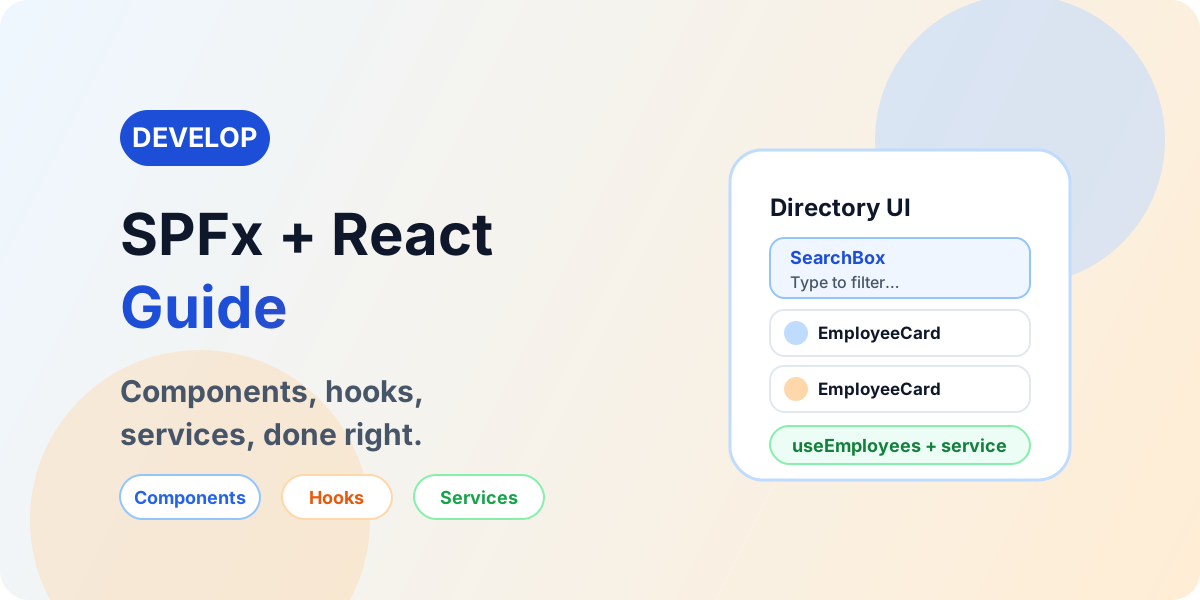
Build production SPFx solutions with React architecture: components, hooks, services, PnPjs, Graph, Fluent UI, error handling, performance, and testing.

Learn how SharePoint Copilot Apps combine SPFx, React, SharePoint data, declarative agents, and Microsoft 365 Copilot to create interactive work experiences.

Use PnPjs in SPFx with current patterns for lists, CRUD, filtering, paging, batching, files, users, groups, and search — behind a service layer.

Use Microsoft Graph with SPFx securely: delegated authentication, least-privilege permissions, users, groups, Teams, files, paging, throttling, and production readiness.

A beginner-friendly Microsoft Graph API guide explaining what Graph is, how requests work, permissions, tokens, endpoints, common use cases, and safe API design.

Diagnose SPFx failures layer by layer: Node.js, build, deployment, web parts, PnPjs, REST, Graph permissions, CORS, and production-only errors — with fixes.
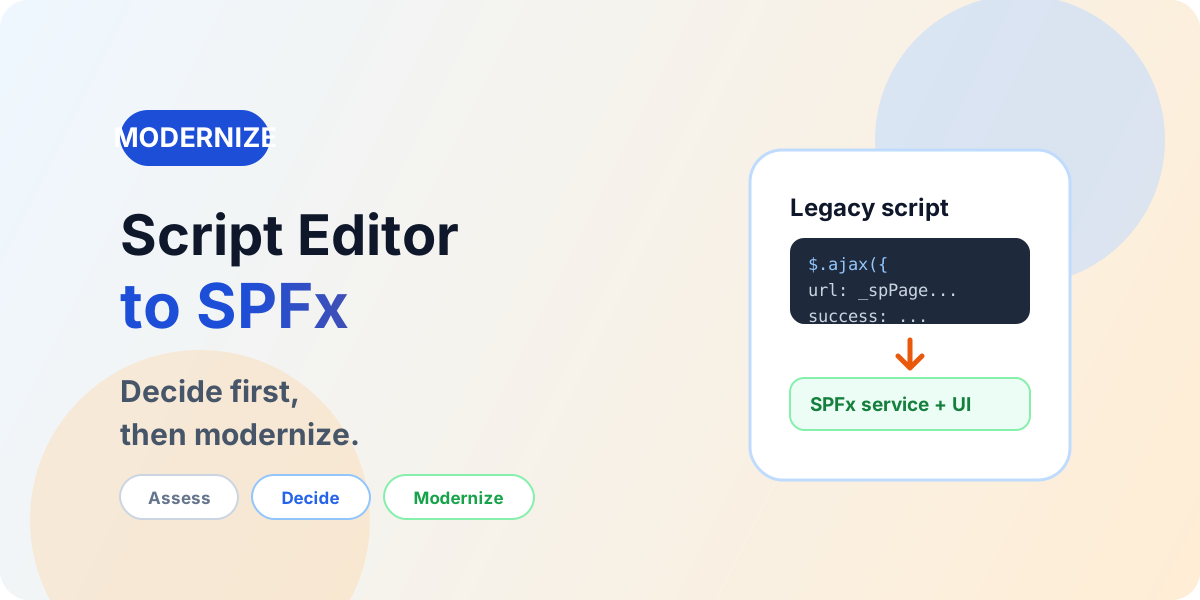
Assess legacy Script Editor and custom JavaScript, choose between native SharePoint, JSON formatting, Power Platform, or SPFx — and modernize without porting debt.

Microsoft is changing classic publishing sites, classic user-created pages, and custom scripting in SharePoint Online. Here is what admins, developers, architects, and intranet owners should do before March 1, 2027 and October 1, 2028.

An end-to-end blueprint connecting SharePoint migration with SPFx modernization: assessment, target architecture, waves, validation, and governance.
SPFx questions
SPFx (SharePoint Framework) is Microsoft’s client-side development model for extending SharePoint, Teams, and Viva Connections with modern web technologies such as TypeScript and React.
Read answer →SPFx extensions customize SharePoint list, library, and page experiences: Application Customizers inject header/footer and page behavior, Field Customizers re-render columns, and Command Sets add command-bar actions.
Read answer →Microsoft Graph is the unified API for Microsoft 365: one endpoint model to read and manage users, groups, Teams, SharePoint, mail, calendars, and more — governed by explicit permissions and consent.
Read answer →Technical discussion
Bring the architecture, API choices, permissions, deployment path, modernization dependencies, or troubleshooting symptoms, and nextM365 can help shape a practical implementation plan.
Discuss an SPFx ProjectSPFx is Microsoft’s client-side development model for extending SharePoint and related Microsoft 365 experiences with web parts, extensions and API integrations built with TypeScript and React. Solutions run in the browser in the current user’s context and deploy as packages through the SharePoint App Catalog.
Use SPFx when developers need custom SharePoint web parts, page extensions, or Microsoft 365 interface integrations with full code control. Use Power Apps for maker-led business applications, forms and workflow-facing experiences that do not need custom SharePoint UI.
Yes. SPFx solutions request API permissions that a tenant administrator must approve before the solution can call Microsoft Graph or other protected APIs. Request only the least-privilege delegated permissions the solution needs, and never assume every endpoint is available automatically.
SPFx provides Application Customizers for page header, footer and behavior, Field Customizers for column rendering in list views, and ListView Command Sets for command-bar actions on selected items. All three deploy as packages through the App Catalog.